Directory DuoDirDuo

Two folders. Here to there, in one click.

Directory Duo is a file manager built around a source and a destination side by side. Copy, move, extract, compare and sync go from one to the other. Made for the Steam Deck in Desktop Mode, and at home on any Linux desktop.

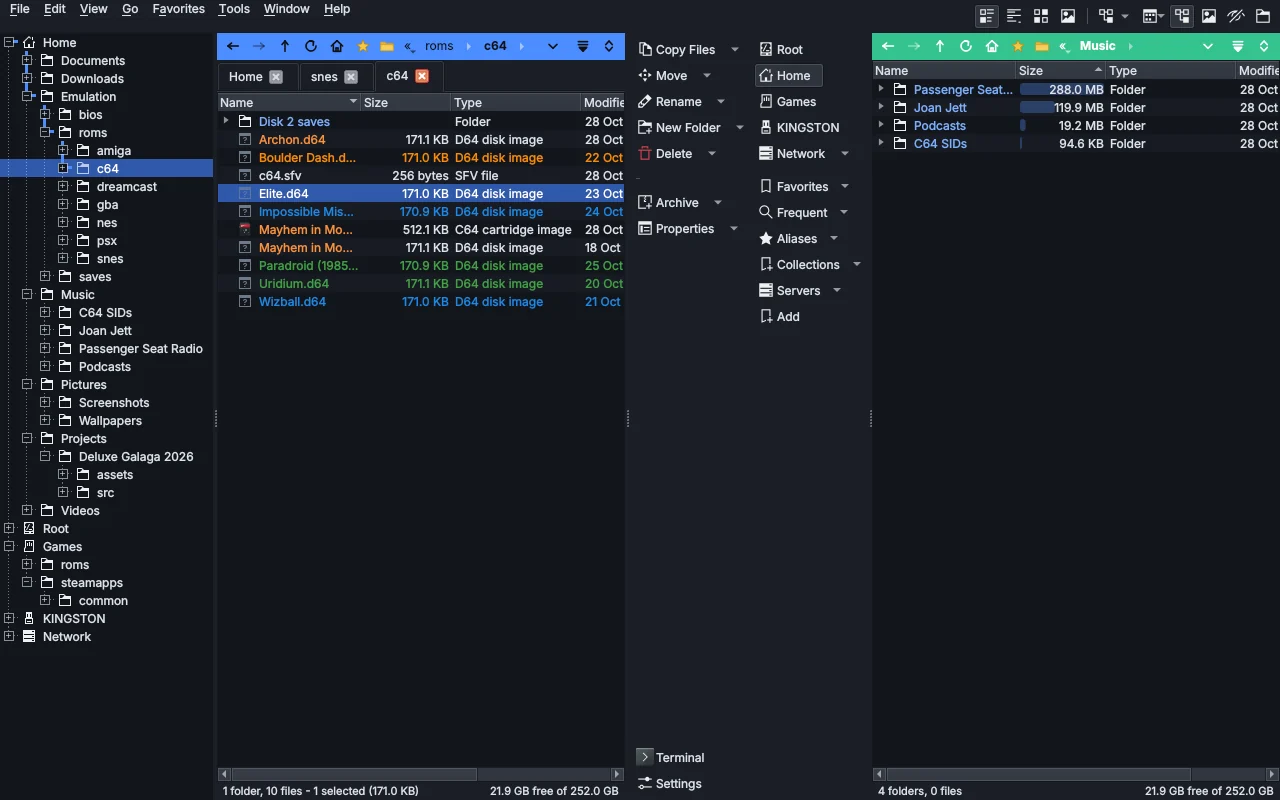
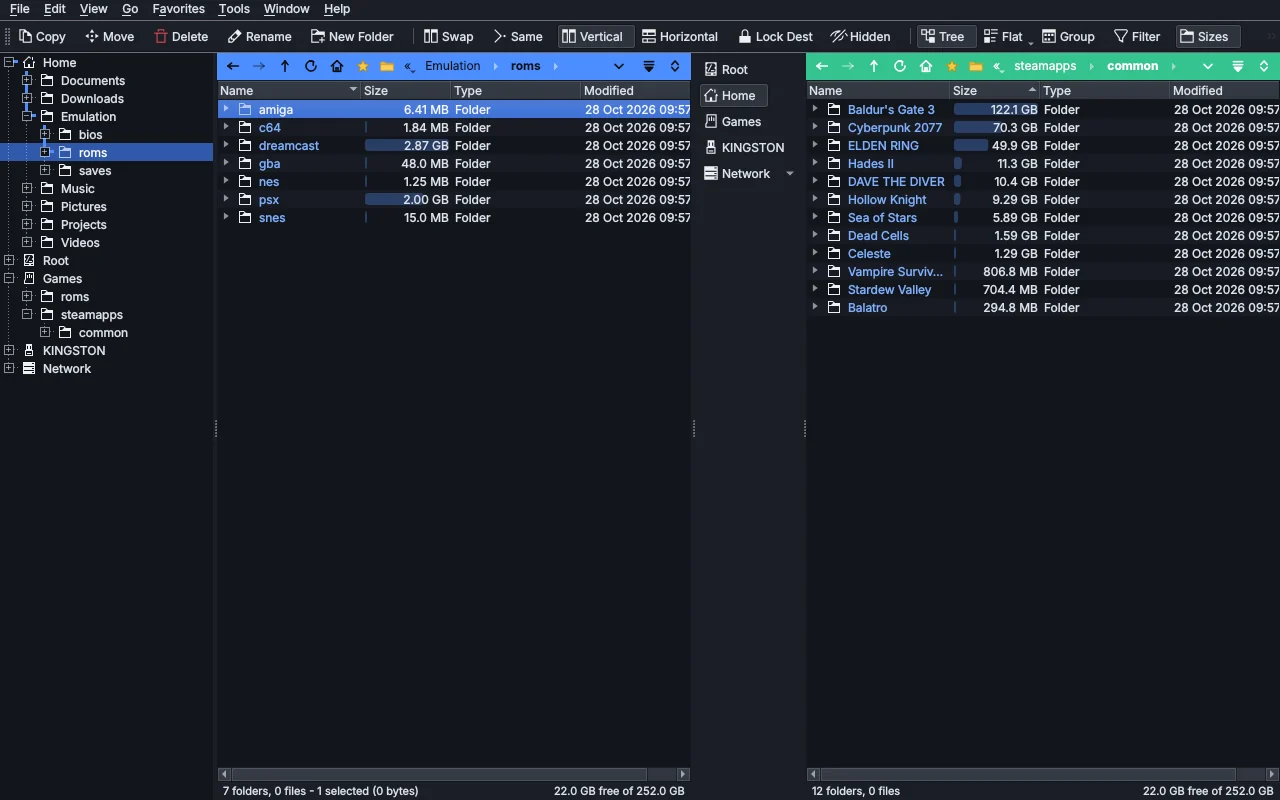
Directory Duo on the Steam Deck: ROM folders on the left as the source, the Steam library on the SD card on the right as the destination, with folder sizes as bars and the folder tree.
SOURCE 7 folders - 1 selectedDEST 12 folders - 22.0 GB free of 252.0 GB
How it works

One side gives, the other side takes.

Click a display and it becomes the source. The other one is the destination. Every command already knows where things come from and where they go, so there is no "where to?" dialog.

Source

What you are working on

Select files the way you like: click, tick boxes, type a few letters to jump, wildcards, or Select by Comparing to pick everything the other side is missing.

Dest

Where it goes

Lock it so it stays put while you browse, swap the two in one click, or stack them top and bottom when the Deck's screen is better used that way.

CopyMoveCopy If NewerExtract to DestinationMake Link in DestinationSynchronizeSelect by ComparingSwap
Features

Everything a power user reaches for.

A file manager that does the job of a dozen small tools, and lets you build the rest yourself.

Toolbars

Buttons you build

Drag buttons anywhere, between the displays or along the edges. Each mouse button can run its own commands, and buttons can be menus, split buttons or filter boxes.

Ctrl+E

Index Search

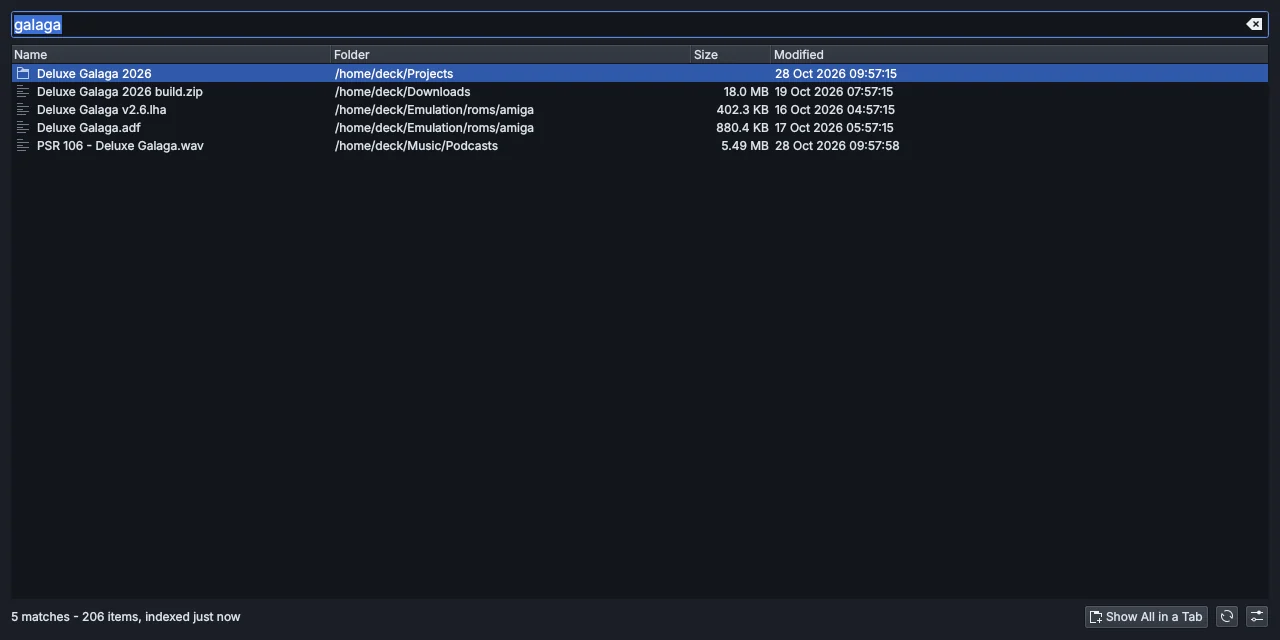
Type part of a name and every match across your home folder and SD card shows at once, sorted, with size and date. Show them all in a tab to copy or tag.

Viewer

See anything

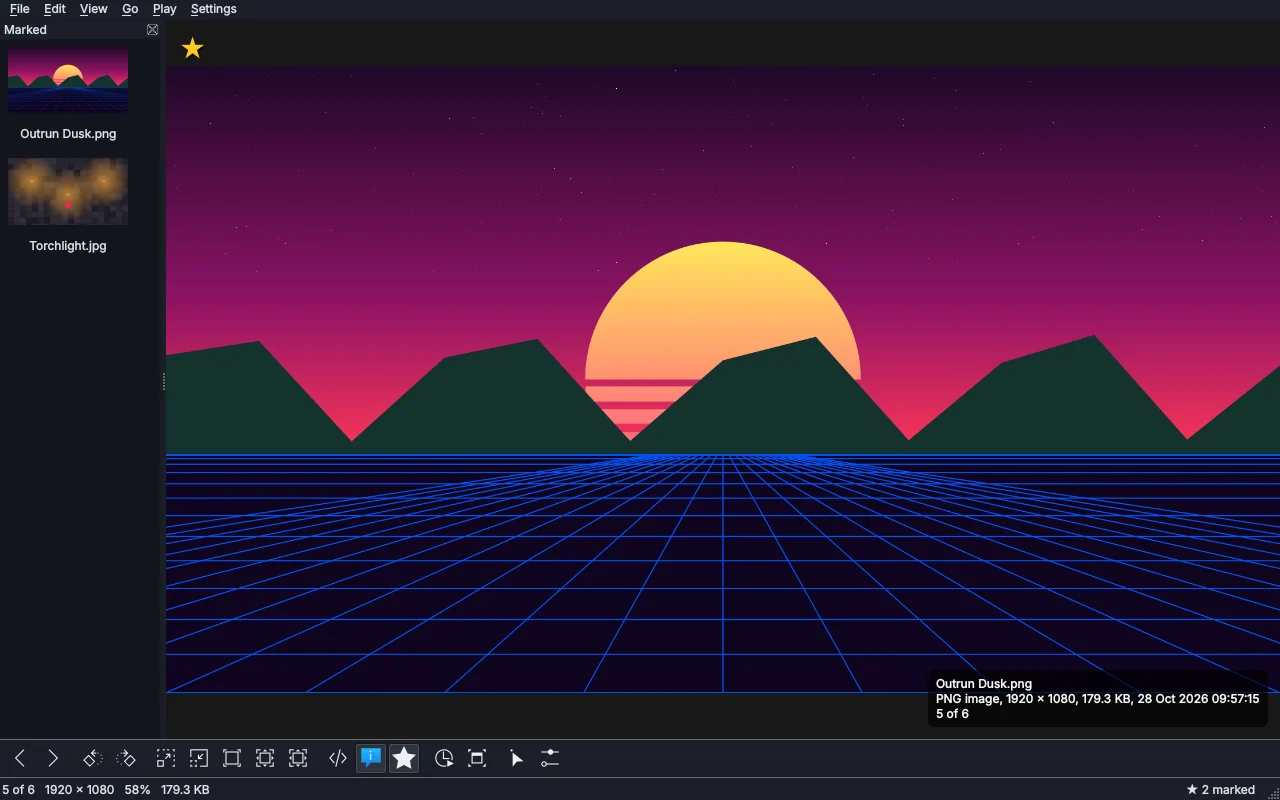
Pictures, music, video, PDFs, text, hex and what is inside archives, in one window. Slideshow, marking, full screen and printing included.

Jobs

Copies you can trust

Every copy runs in its own window with pause, queues per drive, Retry / Skip when a card is pulled, and undo. A notice tells you when a long one is done.

Archives

Zips as folders

Open zip, 7z, RAR and tar as if they were folders, extract with one click, or pack the selection. Password-protected zips too.

sftp://

Servers and shares

Your NAS over SFTP, SMB, FTP or WebDAV, saved by name, with copies that resume where they left off after the network drops.

Columns

Tags, music, photos

Artist and album from music tags, camera and date taken from photos, color labels, star ratings and tags that Dolphin sees too.

Tools

The usual suspects, built in

Synchronize, Find Duplicates, Advanced Rename with undo, checksums, file splitting for FAT32 cards and image conversion.

.js

Make it yours

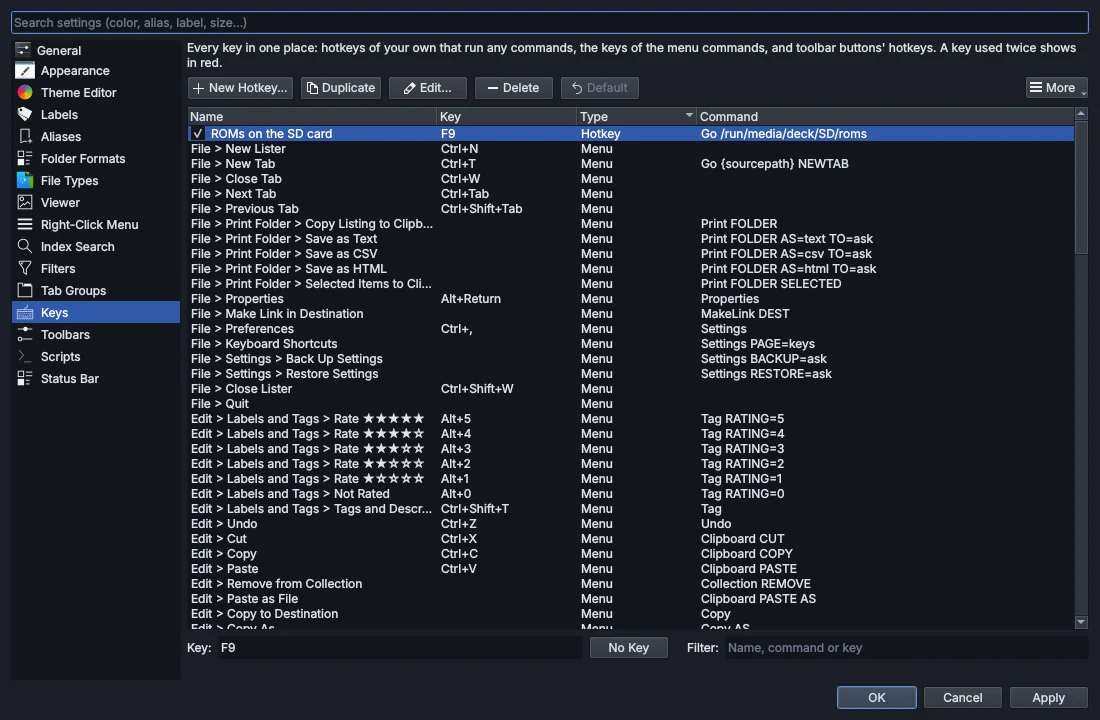
Your own keys, right-click commands per file type, tab groups, saved filters, status bar layouts and JavaScript scripts that add commands and columns.

Steam Deck

Made on, and for, the Deck.

Directory Duo started as the file manager Desktop Mode was missing. It runs as a Flatpak, is sized for 1280 x 800, and treats the SD card as the first-class drive it is.

  • The SD card and USB drives on the Drives bar by their label, with free space
  • Pinch to zoom a list on the touchscreen or Shift + scroll with the trackpad
  • Add to Steam from the right-click menu Windows programs run through Proton
  • Steam's Browse Local Files opens in Directory Duo when it is the default file manager
  • An ARM64 build for the Steam Frame next to the x86_64 one
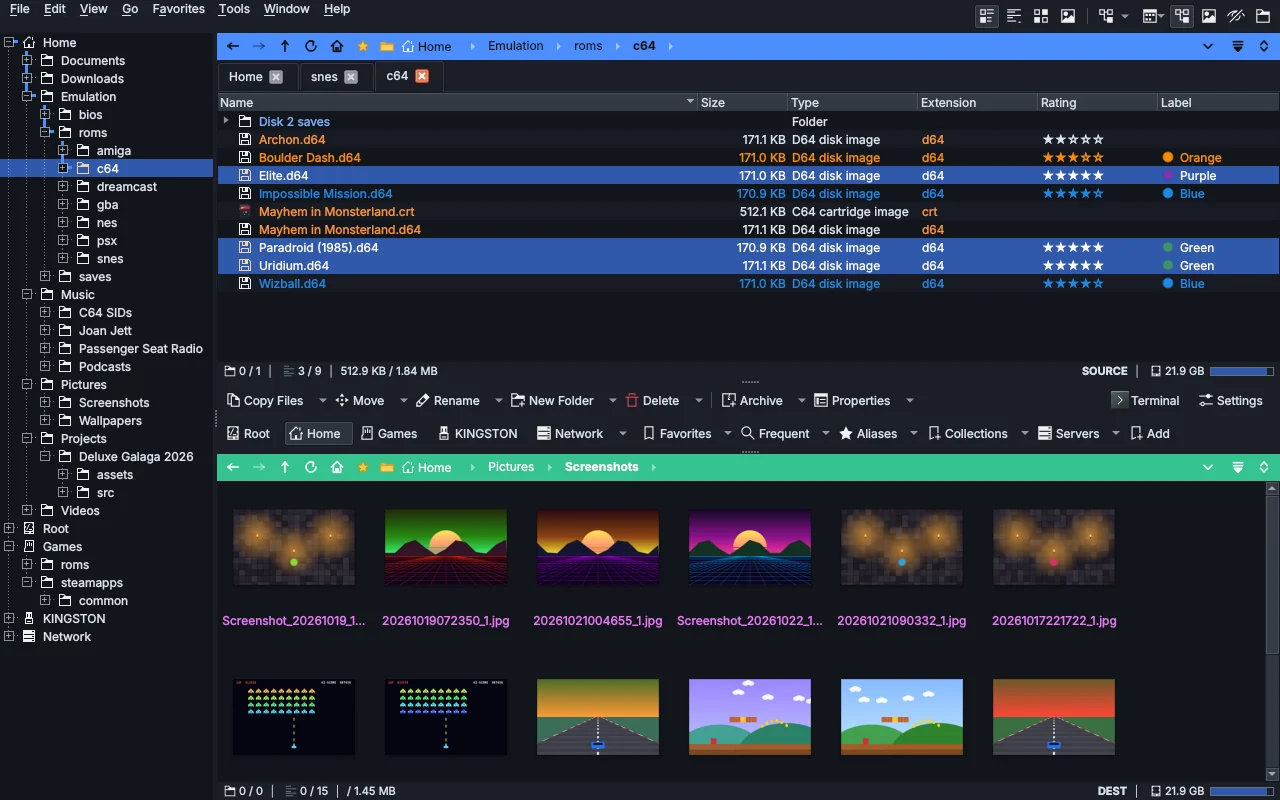
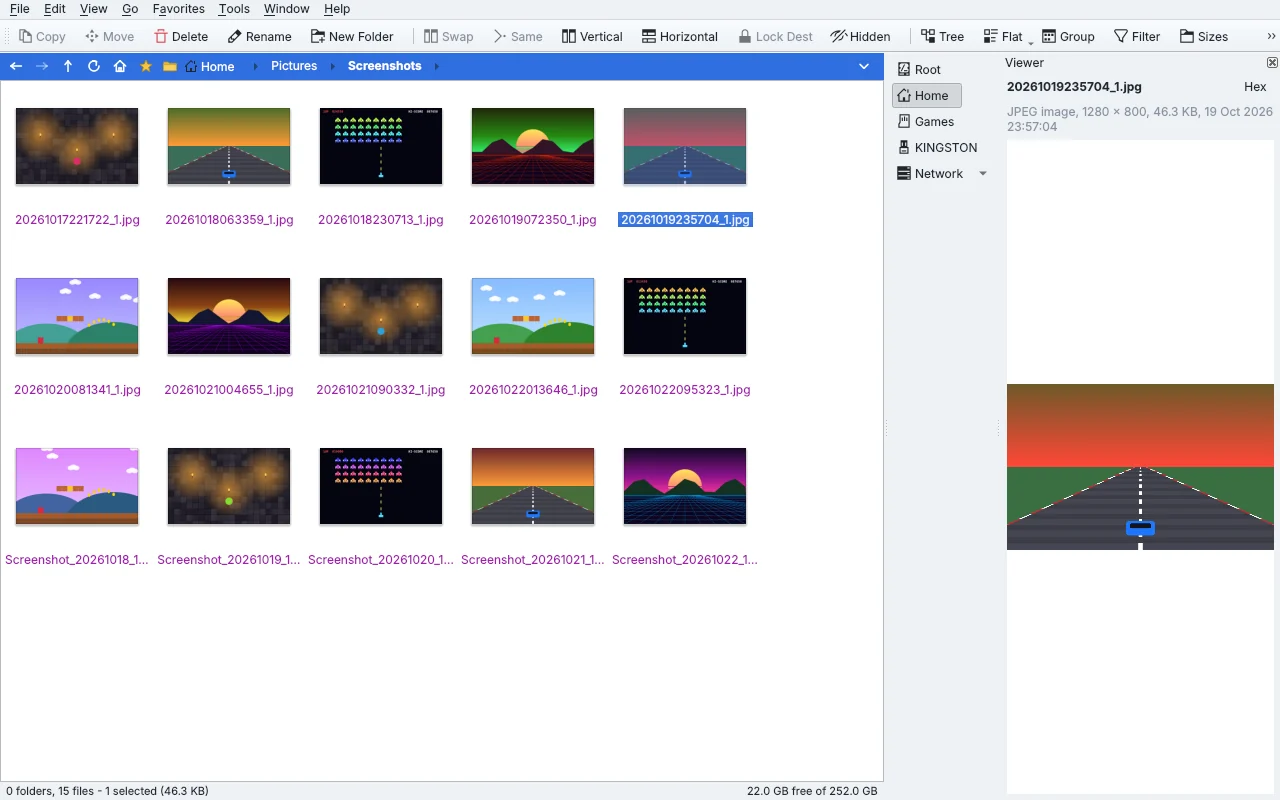
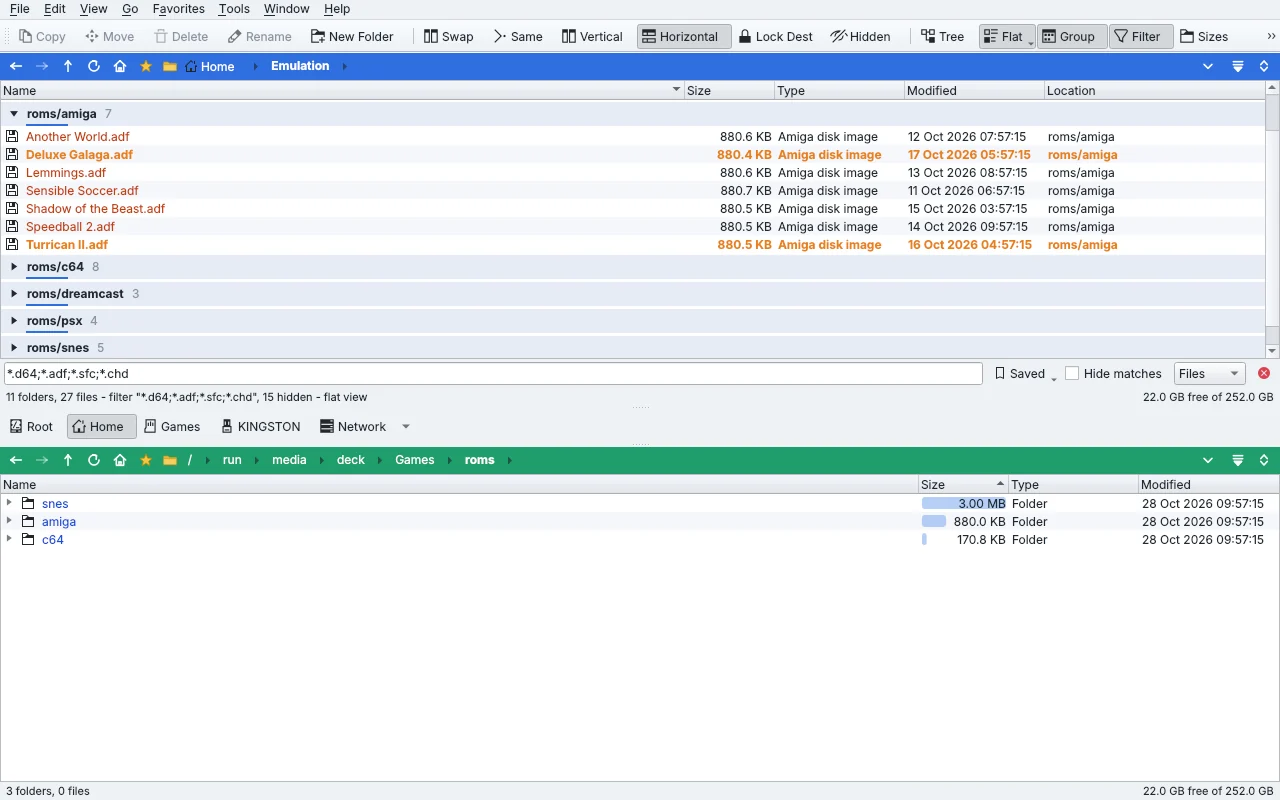
Stacked displays on the Deck: C64 disk images with color labels and star ratings above, screenshots as thumbnails below, with toolbars between them.
SOURCE 3 / 9 - 512.9 KB / 1.84 MBDEST 0 / 15
Commands

Every button is a little program.

Buttons, keys, menus and the command console all run the same plain commands. Chain them, and one click does the whole job: here, sending every disc image you don't have yet to the SD card.

Saved filters, codes like {sourcepath} and dialogs that ask for a value make a button fit any job you repeat.

Disc images to SDleft-click
Go /home/deck/Emulation/roms/psx
Select PATTERN="@Disc images"
Copy TO=/run/media/deck/SD/roms/psx WHENEXISTS=newer
# right-click: just look
Go /run/media/deck/SD/roms/psx OPENINDEST
Themes

Four looks out of the box.

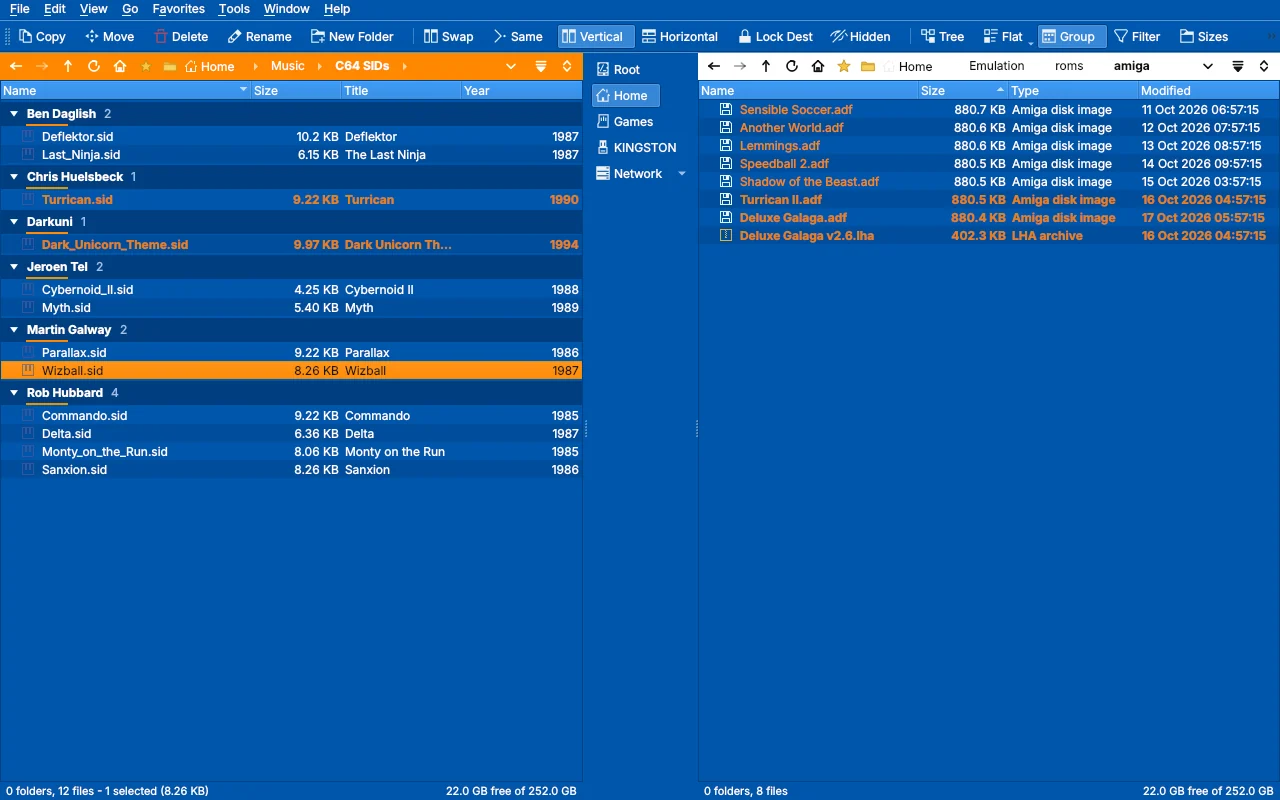
Light, dark, the classic blue Workbench, or whatever your desktop uses. Every color is yours to change in the Theme Editor.

Directory Duo in the DirDuo Dark theme.
Screens

A closer look.

In testing

Coming soon as a Flatpak.

Directory Duo is in testing on the Steam Deck and desktop Linux now. The first release will install like any other Flatpak, from Discover in Desktop Mode or the command line.

Runs on
SteamOS Desktop Mode, and any Linux desktop with Flatpak
Builds
x86_64 (Steam Deck, PCs) and ARM64 (Steam Frame)
Made with
Qt 6 and KDE Frameworks
Servers
SFTP, SMB, FTP, WebDAV
Archives
zip, 7z, RAR, tar, ISO